
Python用の次世代HTTPクライアントライブラリ「HTTPX」のインストールについて解説しています。(Windows10)
HTTPXは、Python3用のフル機能のHTTPクライアントで、同期と非同期のAPIを提供しています。またHTTP/1.1 と HTTP/2 の両方をサポートしている。
■Python
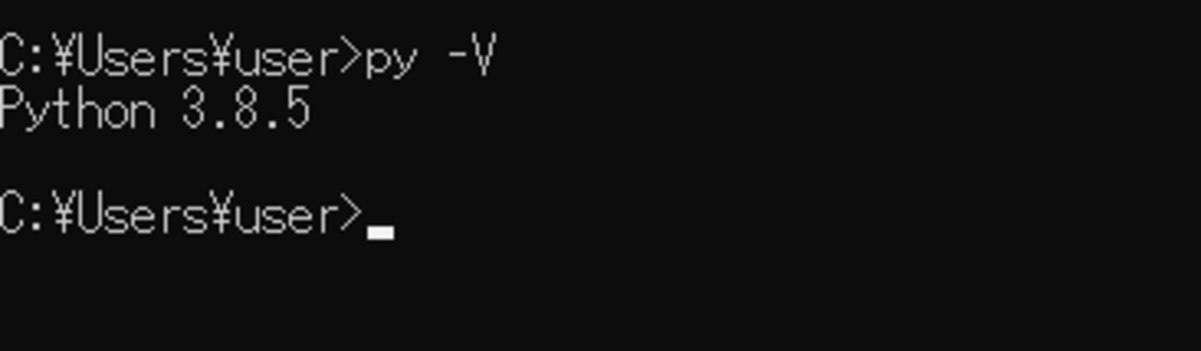
今回のPythonのバージョンは、「3.8.5」を使用しています。(Windows10)(pythonランチャーでの確認)
■httpxをインストールする
httpxをインストールを行いますが、今回はpipを経由してインストールを行うので、まずWindowsのコマンドプロンプトを起動します。
pip install httpx
起動後、上記のコマンドを入力し、Enterキーを押します。
なお、今回は、pythonランチャーを使用しており、Python Version 3.8.5にインストールを行うために、pipを使う場合にはコマンドでの切り替えを行います。
py -3.8 -m pip install httpx
切り替えるために、上記のコマンドを入力し、Enterキーを押します。
Collecting httpx
  Downloading httpx-0.17.1-py3-none-any.whl (68 kB)
     |████████████████████████████████| 68 kB 623 kB/s
Collecting rfc3986[idna2008]<2,>=1.3
  Downloading rfc3986-1.4.0-py2.py3-none-any.whl (31 kB)
Requirement already satisfied: certifi in c:\pg\python38\lib\site-packages (from httpx) (2020.11.8)
Collecting sniffio
  Downloading sniffio-1.2.0-py3-none-any.whl (10 kB)
Collecting httpcore<0.13,>=0.12.1
  Downloading httpcore-0.12.3-py3-none-any.whl (55 kB)
     |████████████████████████████████| 55 kB 918 kB/s
Requirement already satisfied: idna; extra == "idna2008" in c:\pg\python38\lib\site-packages (from rfc3986[idna2008]<2,>=1.3->httpx) (2.10)
Collecting h11==0.*
  Downloading h11-0.12.0-py3-none-any.whl (54 kB)
     |████████████████████████████████| 54 kB 830 kB/s
Installing collected packages: rfc3986, sniffio, h11, httpcore, httpx
Successfully installed h11-0.12.0 httpcore-0.12.3 httpx-0.17.1 rfc3986-1.4.0 sniffio-1.2.0
Enterキーを押すと、インストールが開始され、上記のように「Successfully installed」と表示されます。これが表示されれば、httpxが正常にインストールされたことになります。

コメント